
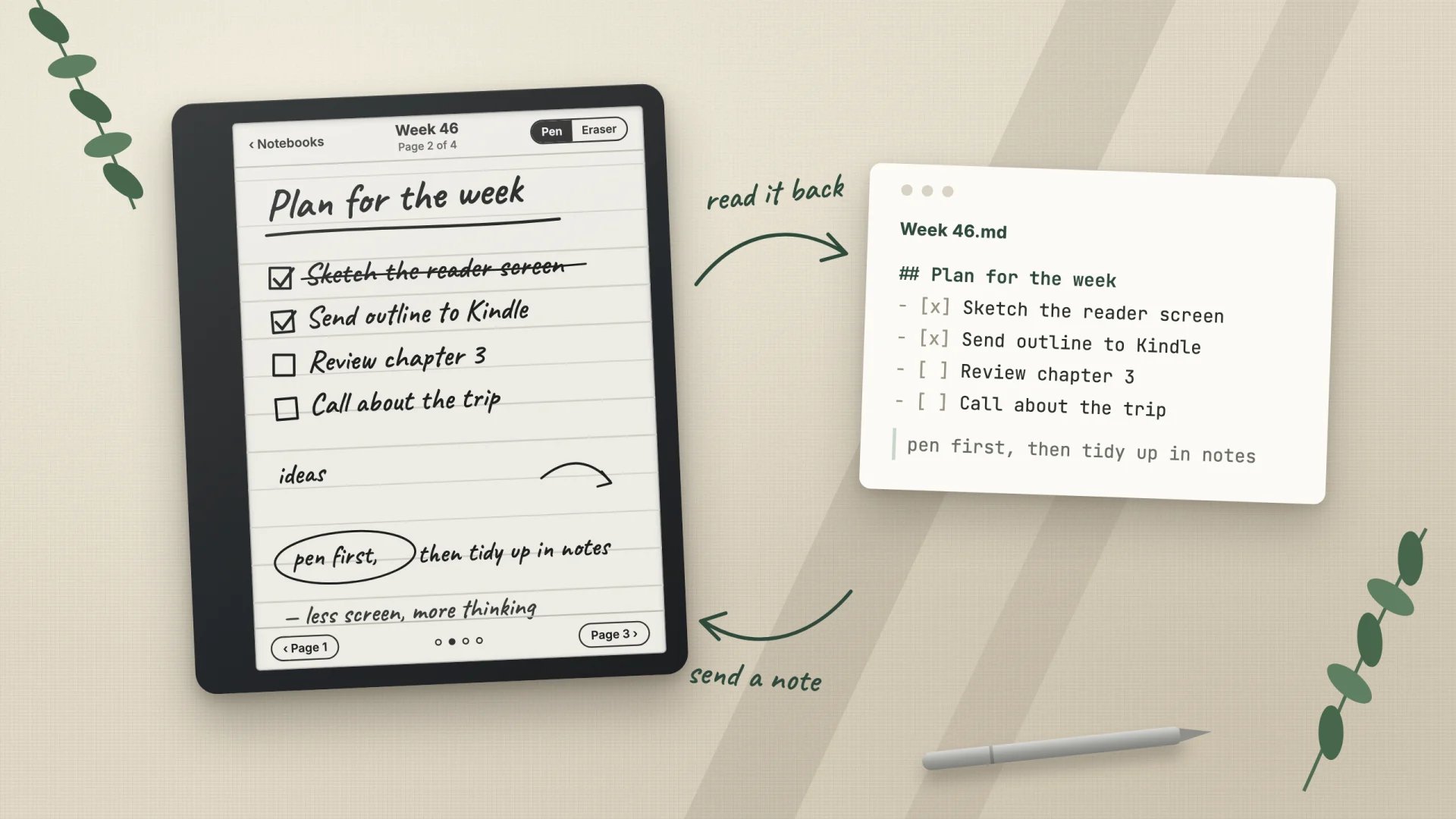
I like thinking with a pen. The trouble was always what came after: handwritten pages stayed on the tablet, while my plans, projects and tasks lived in Obsidian as plain Markdown. So I made the two meet.
The pieces
- A Kindle Scribe running my fork of the open-source notebook app Ignite (Ignite for Kindle Scribe).
- An always-on Mac at home running Ignite’s sync server. The Kindle syncs to it over Wi-Fi whenever the app is open, without any cloud service in between.
- A small local service on the same Mac that watches the sync server and connects it to my notes.
- Obsidian as the place everything ends up, and an AI assistant (Claude) that can read and write through that service.
From the pen to my notes
About a minute after I stop writing, every notebook appears in my vault as a Markdown note. Each page is saved as an image with the real pen widths, and the handwriting is transcribed on the Mac itself, in English and German. Only changed pages are processed again, and the recognition runs on the Mac rather than in a cloud service.
The transcription is not perfect, but it does not need to be. It makes handwritten pages show up in search, and the page image is always one click away. Anything I add to such a note by hand is kept. Folders on the Kindle become folders in the vault.
From my notes back to the pen
The other direction is where it became fun. I can send a Markdown note to the Kindle and it arrives as a notebook laid out with the Kindle’s own font: headings, lists and quotes, with tasks turned into ink checkboxes I tick with the pen. Longer reading goes over as an EPUB and opens in the reader I added to the app.
Nothing is written to the device directly. Every change starts as a plan with a rendered preview of each page. Only after I say yes does it run, and a verified backup of the notebook library is taken before every write.
A week with it
I keep one handwritten planning notebook per week. A plan or checklist from my notes can go over as pages with the checkboxes already in place, and during the week I write, cross out and tick things by hand. When I ask the assistant about something I wrote, it reads the actual page, image and transcription, instead of guessing.
Small chores became one sentence too: moving notebooks into folders, merging two weekly notebooks into one without touching the ink, or pushing an article I want to read later.
What I learned
- Keep the source of truth boring. Ink stays in Ignite’s sync ledger, text stays in Markdown files. The bridge between them can be rebuilt any time.
- Writes deserve ceremony. A preview, an explicit yes and a backup cost seconds and made me trust the system with notebooks I care about.
- The pen is the interface. Ink checkboxes beat any sync of task states: I tick on paper, and the result shows up in my notes.
The Kindle part is public as a fork of Ignite on GitHub. The notes service is personal and tied to my setup, so it stays private for now.