
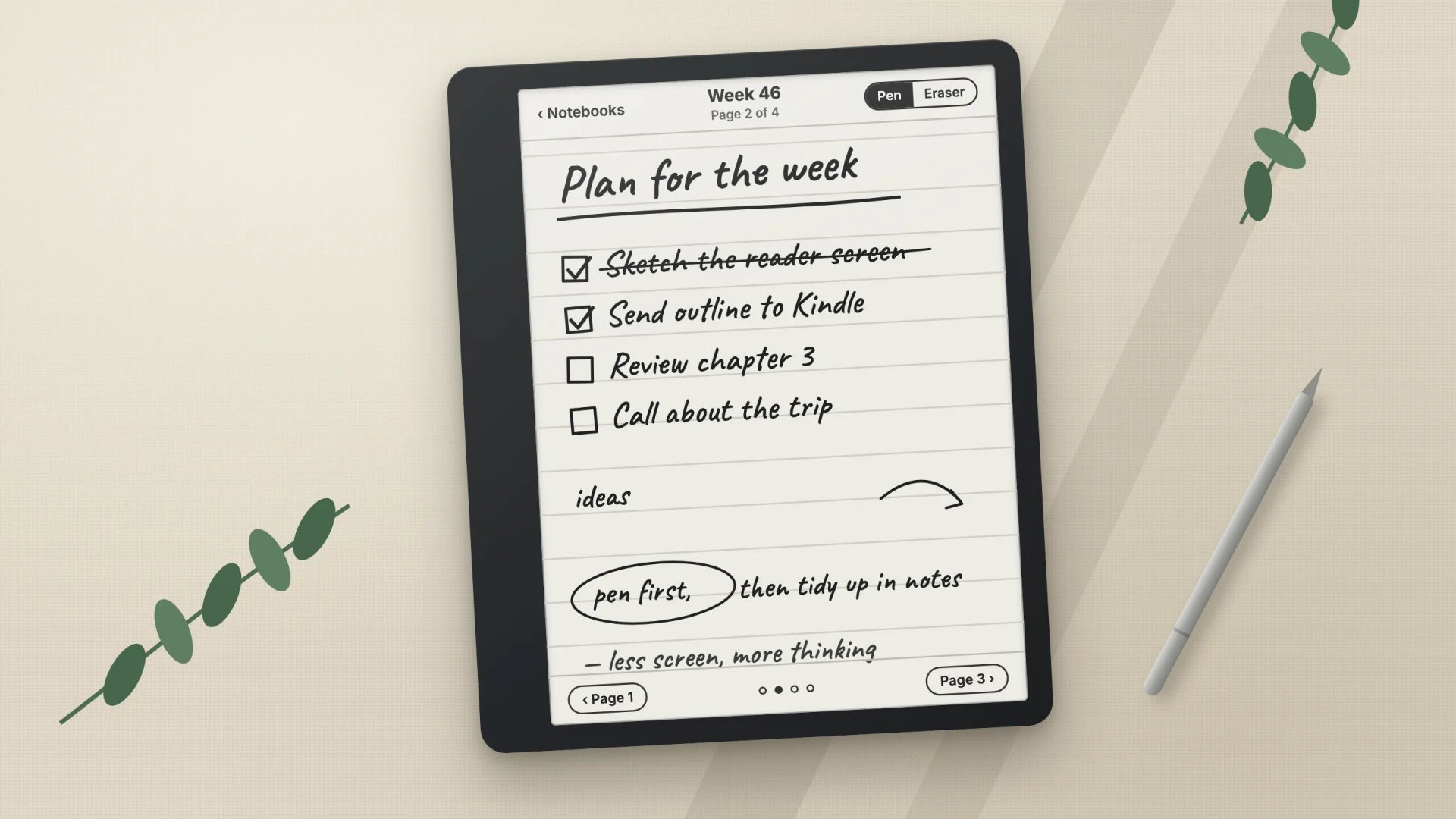
I forked Ignite, an open-source notebook app for the Kindle Scribe, to make it my everyday pen-and-paper tool. Ignite already stores handwriting as vector strokes and can sync notebooks to a small server at home. I tuned it for daily writing on my first-generation Scribe and built a way for other tools to write to it, so the Kindle became part of my notes instead of a separate island.
Improvements I’ve built
- A faster pen. The pen now stays ready for a moment after each stroke, so quick handwriting no longer starts late; the time the app spends after lifting the pen dropped from about 190 ms to under 1 ms.
- No flashing. Showing the toolbar, erasing, undoing and turning pages refresh only the part of the screen that changed. One measured session went from 20 full-screen flashes to none.
- An eraser switch for the basic pen, which has no eraser end.
- A new toolbar and library. Notebooks and books share one grid of covers with folders.
- A reader for PDF, EPUB and CBZ, built on MuPDF, which remembers where you stopped.
- ignite-import, a tool that creates notebooks from a Markdown note or a small JSON description. Headings, lists and quotes are laid out with the Kindle’s own font, and tasks become ink checkboxes you tick with the pen. It also copies pages between notebooks and files notebooks in folders, and every write starts as a preview.
- Wi-Fi deploy and a Mac service that keep the sync server running at home with nightly backups, and install new builds without a cable.
How it fits into my workflow
My notes live in Obsidian, and I let Claude or ChatGPT help manage them. The Kindle now works in both directions:
- From a note to the pen. I ask Claude to turn an Obsidian note into a starting notebook: a plan, an outline or a checklist. It arrives on the Kindle as real pages, and I review it by hand: crossing out, adding thoughts in the margins, ticking boxes.
- From the pen to my notes. Every handwritten page is mirrored into my vault as an image with a transcription. I can then ask the assistant to process what I wrote: summarize a week, pull out tasks, or merge ideas into the right project notes. Because the pages land in my notes, ChatGPT can read them too.
- Housekeeping by asking. Moving notebooks into folders, merging two weekly notebooks or sending an article to read later is one sentence. Each change is previewed first and backed up before it runs.
More on that setup in Handwriting that ends up in my notes.